

You received a gifted memory
How to access your memory
Welcome. If you landed on this page, you were likely handed a real-world memory that now lives inside a wallet on Base. Follow the steps below to open that gifted wallet and access the memory.
Example gifted memory
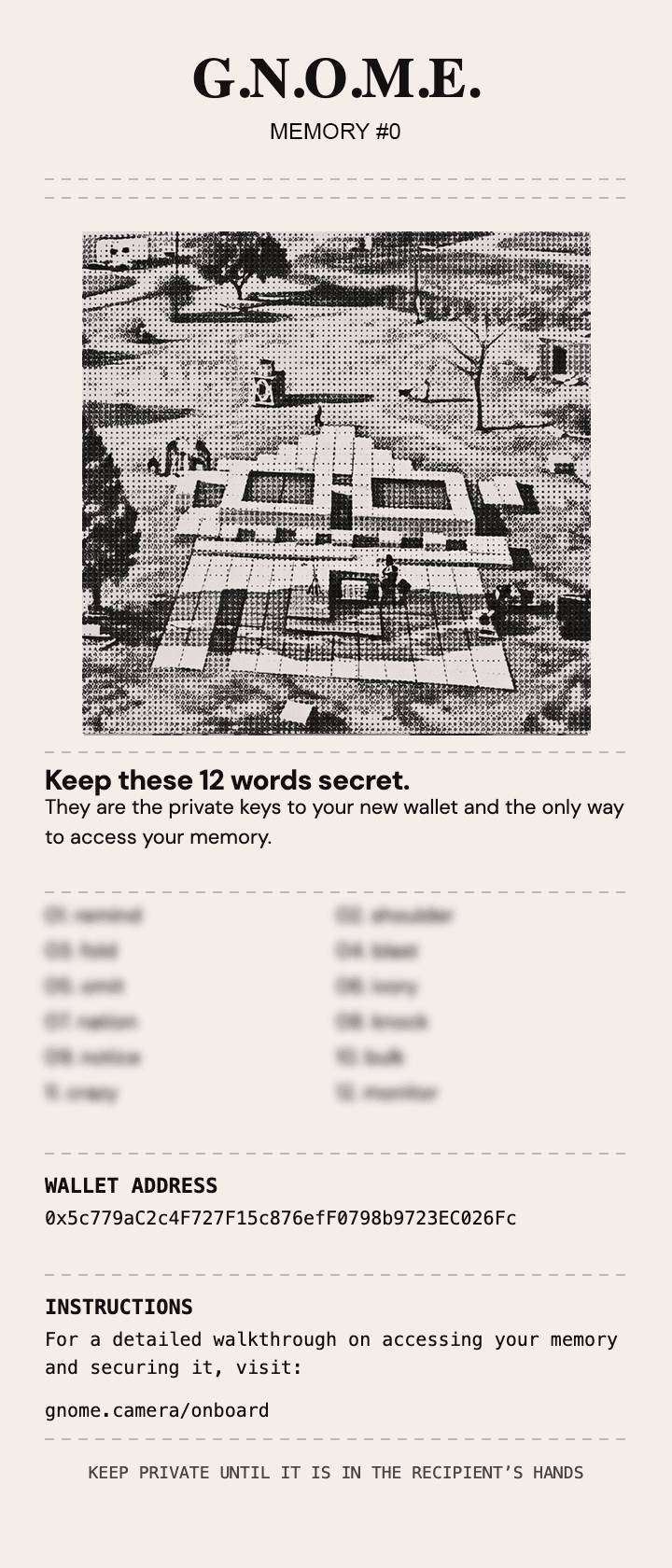
Step 1
Download a wallet
Install Base Wallet, or another compatible wallet, so you can import the gifted wallet from your printed memory.



If you already have a compatible wallet, you can use that instead. The goal is simply to reach the import wallet screen.
- Download Base Wallet on iPhone or Android
- Open the app
- Choose the option to import an existing wallet
Step 2
Import your gifted wallet
In Base Wallet:
- Tap "I already have a wallet"
- Choose Import wallet
- Enter the 12 words from your receipt*
- Set a password
After import, your gifted memory should appear inside the wallet.
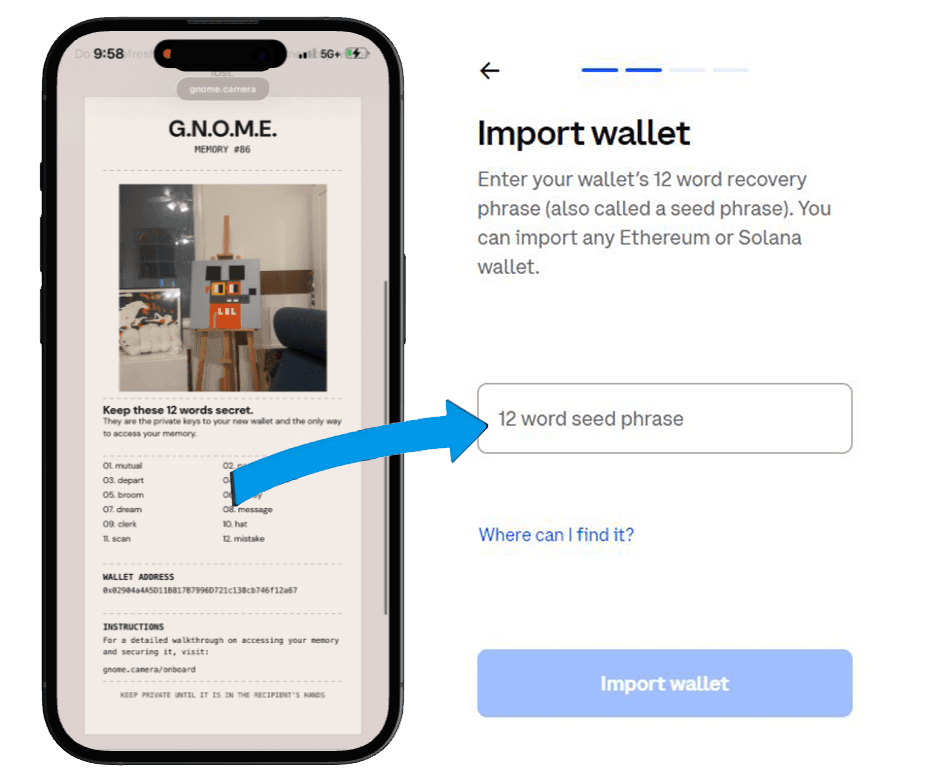
Step 3
View your memory and keep exploring
Once you've opened the gifted wallet, your memory is yours to keep. If you want a wallet that is fully yours, create a new one inside Base Wallet and move your memory there later.
- Open the collectible or memory inside the wallet
- Tap your profile icon
- Select Add new wallet
- Choose Create new wallet
- Write down your new recovery phrase
- Store it somewhere safe and private
Next
What you can do next
- Keep your memory forever
- Collect more onchain memories
- Send and receive digital assets
- Explore web3 apps
- Create your own memories with G.N.O.M.E.